Money & Calculations
How to Remove VAT from a Price: Formulas and Worked Examples
Remove VAT by dividing the gross price by 1 plus the rate: 240 ÷ 1.20 = 200 net. Formulas, a 20% and 5% table, rounding tips and common mistakes.

Written by Ahad NoorPublished 7 min read
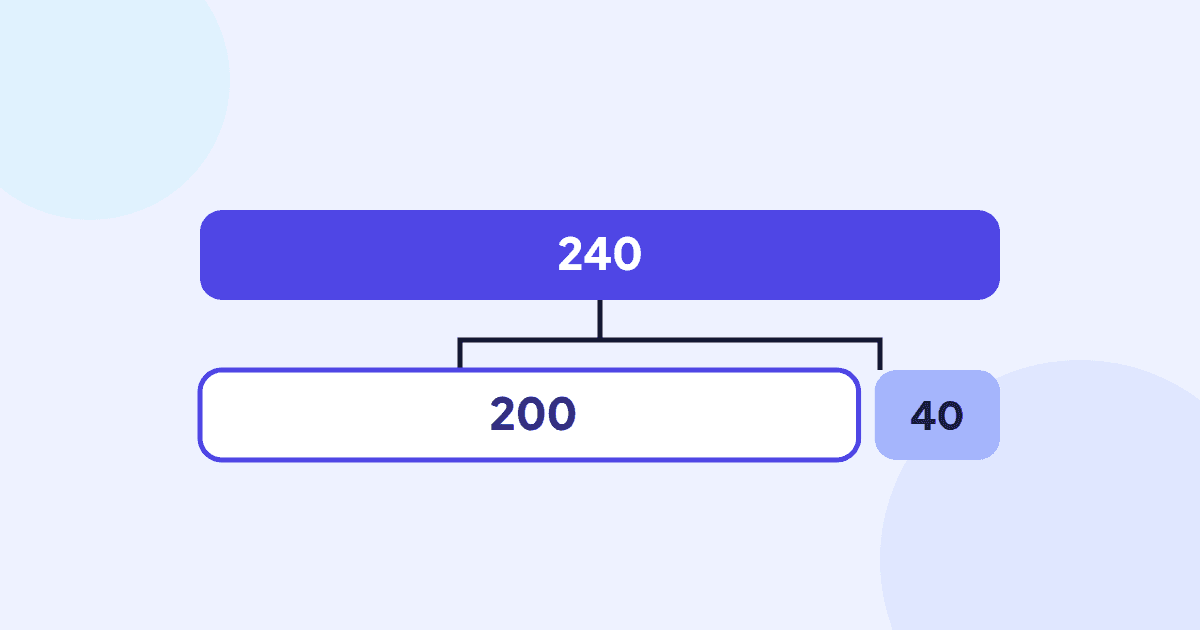
You have a price that already includes VAT and you need the figure without it: for a quote, an expense claim, a bookkeeping entry or simply to compare two suppliers. The rule is short. Divide the price including VAT by 1 plus the VAT rate. At a 20% rate, 240 ÷ 1.20 = 200, so the price excluding VAT is 200 and the VAT inside it is 40.
This guide explains why that works, why simply taking 20% off gives the wrong answer, and how to handle other rates, rounding and receipts that mix rates. The worked examples use plain numbers, so they work in any currency.
Contents
Gross, net and VAT: the three numbers#
- Gross price (VAT-inclusive): what the customer pays, with VAT already added.
- Net price (excluding VAT, “ex VAT” or “net of VAT”): the price before VAT.
- VAT amount: the difference between the two, which a VAT-registered seller passes on to the tax authority.
The rate is always applied to the net price. That single fact explains every formula below and the most common mistake people make.
The formula to remove VAT from a price#
Removing VAT (rate written as a decimal, so 20% = 0.20)
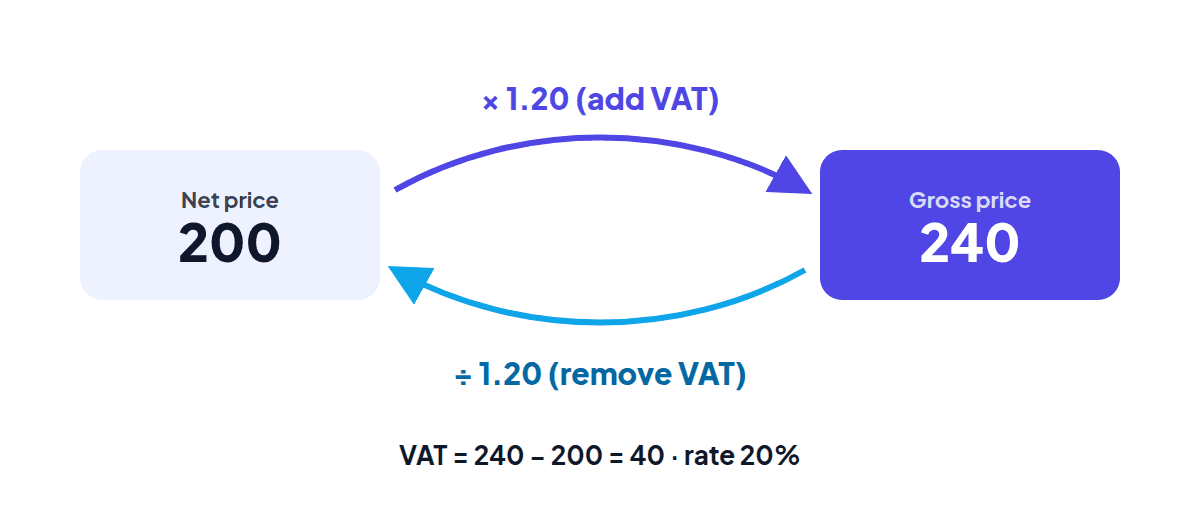
Net price = Gross price ÷ (1 + rate)
VAT amount = Gross price − Net price
VAT amount = Gross price × rate ÷ (1 + rate)
The last two lines always give the same answer; use whichever is easier.
Worked example: removing 20% VAT from 240
Assumptions: VAT rate 20%; the price of 240 already includes VAT.
- Net price = 240 ÷ 1.20 = 200
- VAT amount = 240 − 200 = 40 (check: 240 × 0.20 ÷ 1.20 = 40)
Check by adding the VAT back: 200 × 1.20 = 240.
Why taking 20% off the gross price is wrong#
It is tempting to remove 20% VAT by taking 20% off: 240 × 0.80 = 192. But the 20% was calculated on the net price of 200, not on 240. Taking 20% of the larger number removes 48 instead of 40, so the “net” price comes out 8 too low.
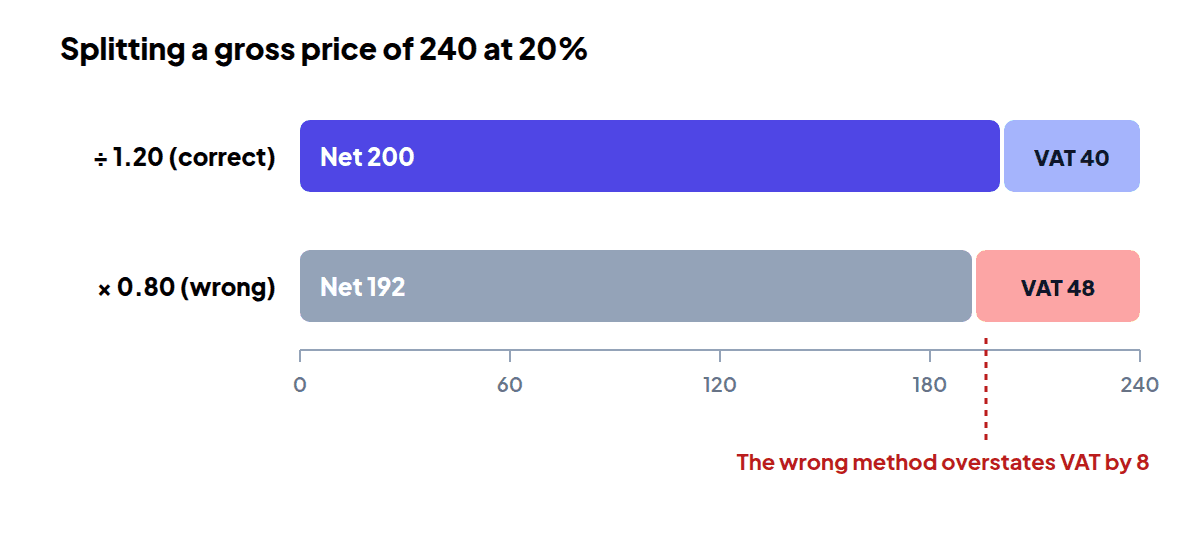
| Method | Net price | VAT | Gross |
|---|---|---|---|
| Divide by 1.20 (correct) | 200.00 | 40.00 | 240.00 |
| Multiply by 0.80 (wrong) | 192.00 | 48.00 | 240.00 |
A quick way to remember it: at 20% the VAT is one sixth of the gross price, not one fifth. 240 ÷ 6 = 40.
Adding VAT vs removing VAT#
Adding and removing VAT are mirror images. Adding multiplies the net price by 1 plus the rate; removing divides the gross price by the same number.
| Question | Calculation | Answer |
|---|---|---|
| 240 plus VAT | 240 × 1.20 | 288.00 (VAT 48.00) |
| 95 plus VAT | 95 × 1.20 | 114.00 (VAT 19.00) |
| 240 including VAT, without VAT | 240 ÷ 1.20 | 200.00 (VAT 40.00) |
| 114 including VAT, without VAT | 114 ÷ 1.20 | 95.00 (VAT 19.00) |
Before you calculate, check which kind of price you have. A supplier’s list price is often net, while a shop price for consumers is usually gross.
Prices with VAT removed at 20% and 5%#
The table shows common gross prices split into net price and VAT at a 20% rate and at a 5% rate, rounded to two decimal places as the calculator displays them.
| Gross price | Net at 20% | VAT at 20% | Net at 5% | VAT at 5% |
|---|---|---|---|---|
| 12.00 | 10.00 | 2.00 | 11.43 | 0.57 |
| 60.00 | 50.00 | 10.00 | 57.14 | 2.86 |
| 95.00 | 79.17 | 15.83 | 90.48 | 4.52 |
| 120.00 | 100.00 | 20.00 | 114.29 | 5.71 |
| 240.00 | 200.00 | 40.00 | 228.57 | 11.43 |
| 499.99 | 416.66 | 83.33 | 476.18 | 23.81 |
| 1,000.00 | 833.33 | 166.67 | 952.38 | 47.62 |
Rounding: when the pennies don’t add up#
Dividing by 1.2 often produces more than two decimal places. Round the net price and the VAT to the penny, then check that they still add up to the gross price.
Worked example: a 9.99 item at 20%
Assumptions: VAT rate 20%; amounts rounded half up to 2 decimal places.
- 9.99 ÷ 1.20 = 8.325, which rounds to 8.33 net.
- VAT = 9.99 − 8.325 = 1.665, shown as 1.66.
- 8.33 + 1.66 = 9.99, so the rounded figures still match the price.
Rounding each line of a bill can give a slightly different total from rounding the bill as a whole. Three items at 0.50 each come to 1.26 net and 0.24 VAT when each line is rounded (0.42 + 0.08 per item), but 1.25 net and 0.25 VAT when the 1.50 total is split in one go. Both are reasonable; what matters is applying one method consistently and following any rule your tax authority sets.
UK VAT rates and other countries#
In the UK the standard rate is 20%, the reduced rate is 5% and the zero rate is 0%, according to GOV.UK’s VAT rates page (checked on 3 October 2026). Which rate applies depends on what is sold, and some goods and services are exempt instead of zero-rated.
VAT, GST and similar sales taxes use different rates in different countries, but the arithmetic is identical. With a 19% rate, 119 ÷ 1.19 = 100 net and 19 VAT; with a 15% rate, 115 ÷ 1.15 = 100 net and 15 VAT. Check the current rate with the tax authority where the sale takes place, then enter it as a custom rate in the VAT calculator.
How to remove VAT with the calculator#
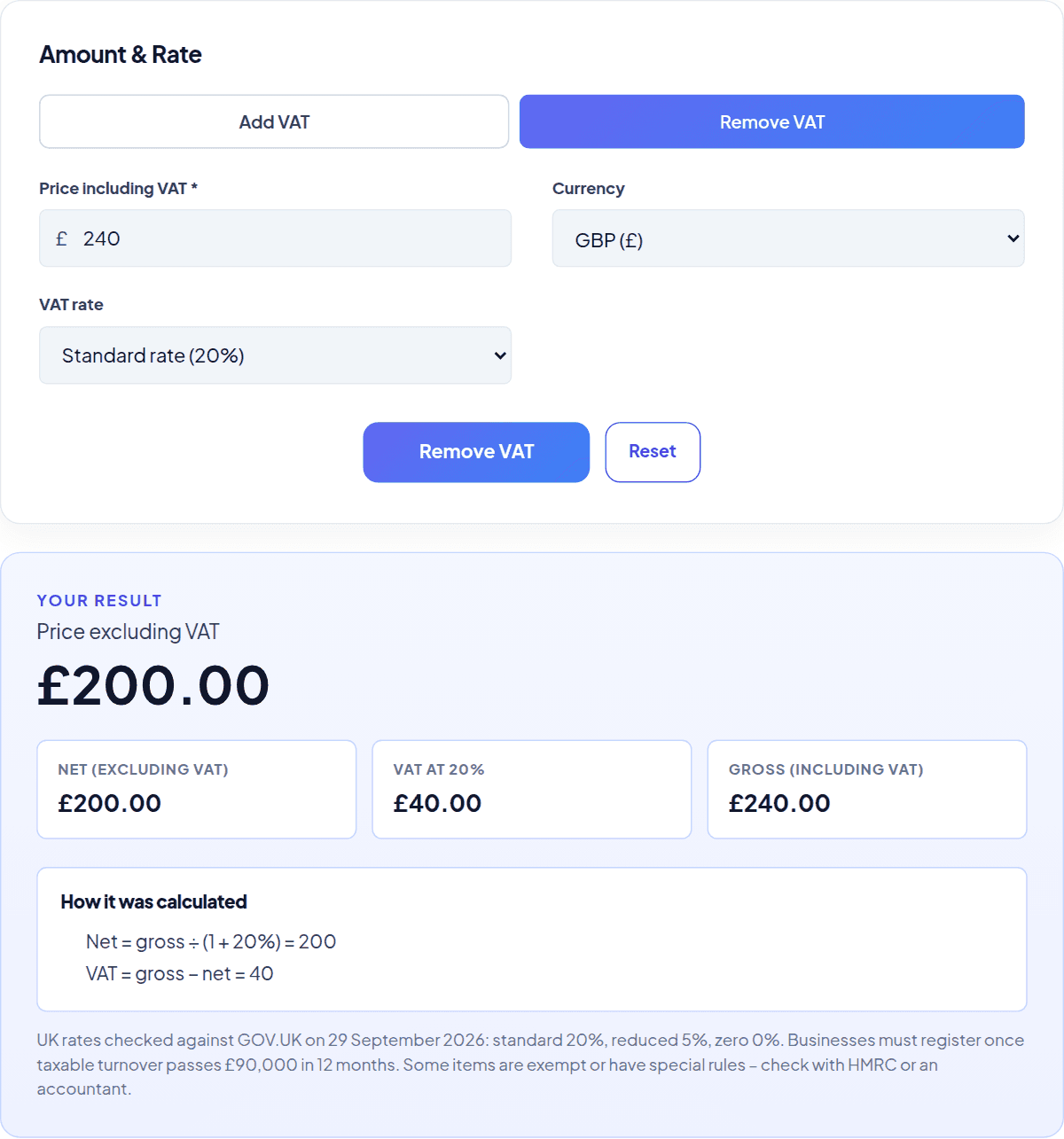
- Choose Remove VAT.
- Enter the price including VAT.
- Pick 20%, 5% or 0%, or choose Custom rate and type another rate.
- Press Remove VAT to see the net price, the VAT and the gross price, with the working shown.
Try the tool
VAT Calculator
Add or remove VAT at 20%, 5%, 0% or any custom rate and see the net, VAT and gross amounts.
Open the VAT CalculatorIf you are preparing a bill, the invoice generator can work out tax from prices that already include it. For other “undo a percentage” problems, such as finding the price before a discount, use the reverse percentage calculator, and to see how VAT affects what you keep from a sale, try the profit margin calculator.
Common mistakes and edge cases#
Mistake: Multiplying the gross price by 0.8 to remove 20% VAT.
Instead: Divide by 1.2. Multiplying by 0.8 removes too much.
Mistake: Removing VAT from a price that was already net.
Instead: Check the label: “inc. VAT” or “gross” means VAT is included; “ex VAT” or “net” means it is not.
Mistake: Using one rate for a receipt that mixes standard-rated and reduced-rated items.
Instead: Split the receipt by rate and remove VAT from each group separately.
Mistake: Rounding the net price, then working out VAT from the rounded figure.
Instead: Work out both from the unrounded result, then round each, and check they add up.
Edge case: zero-rated items. At 0% the net and gross prices are the same and the VAT is 0. Removing VAT at 0% is still worth recording, because a zero-rated sale is not the same as an exempt one for a VAT-registered business.
Checklist for removing VAT
- Confirm the price includes VAT.
- Confirm the rate that applies to this item.
- Divide by 1 plus the rate, and subtract to find the VAT.
- Round to the penny and check net + VAT = gross.
Frequently asked questions#
What does “net of VAT” mean?
It means the amount excluding VAT, the price before VAT is added. Net of VAT, ex VAT and excluding VAT all describe the same figure.
Is VAT one sixth of the price?
Only at a 20% rate. Then the VAT inside a gross price is exactly one sixth of it, so 120 contains 20. At 5% it is one twenty-first, and other rates give other fractions.
How do I remove VAT in a spreadsheet?
Divide the gross cell by 1 plus the rate. With the gross price in cell A2 and a 20% rate, the net price is =A2/1.2 and the VAT is =A2-A2/1.2. Round both with ROUND(…, 2) if you need pennies.
Can I remove VAT from a total that mixes rates?
Not in one step. Group the items by rate, remove VAT from each group with its own rate, and add the results. One rate applied to the whole total gives a wrong split.
Why does my receipt show slightly different VAT?
Usually because of rounding. Some tills round VAT on each line and others on the whole bill, which can move the figure by a penny or two.
Sources
- GOV.UK – VAT rates (checked 3 October 2026)
Ahad Noor
Ahad Noor builds and maintains Momentix, including its calculators, converters and the guides on this blog.
Each guide is checked against the matching Momentix tool, so the worked examples show the same figures the tool gives for the same inputs.